
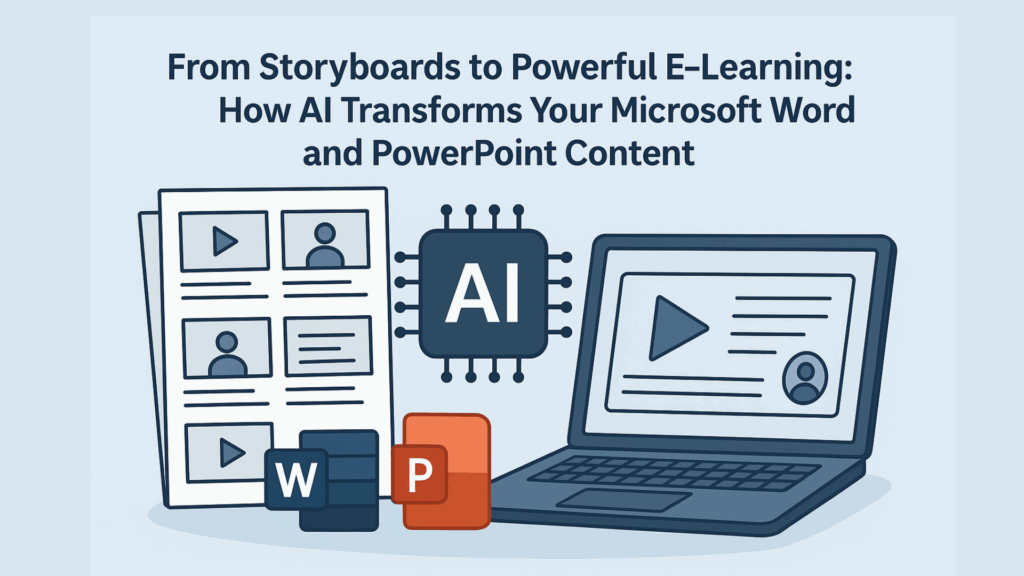
If you’re a trainer, educator, or coach, chances are you spend a lot of time organizing your ideas, lesson plans, and learning modules into storyboards using Microsoft Word and PowerPoint. These familiar tools are the backbone for many instructional designers and instructors who want to create structured, effective courses — but turning those storyboards into engaging, interactive e-learning experiences has traditionally been a complicated and time-consuming process.
Let’s talk about how the game is changing with AI — and how you can now take your Word documents and PowerPoint slides and transform them into powerful, interactive e-learning courses without needing to become a programming expert.
Why Storyboards in Word and PowerPoint Are Not Enough
Storyboards are like blueprints for your course. They help you lay out what content you want to include, how lessons flow, the key interactions, and assessments you plan to use. Most instructional designers create these storyboards to guide the development of a course or microlearning module. Typically, these storyboards go through a review process and then get handed off to someone skilled with a dedicated e-learning authoring tool.
Here’s where the challenge comes in:
- Word and PowerPoint are great for organizing concepts and sharing content ideas, but they are mostly static. They don’t naturally support the multimedia, animations, or interactivity that modern learners expect.
- Courses need to have questions, quizzes, and tracking features to work with learning management systems (LMS). This enables tracking learner progress, time spent, scores, and completion data.
- Learning experiences require navigation tools, themed branding (logos, headers, footers), and a clear structure — all things that Word docs and slide decks do not provide out of the box.
- Learners benefit hugely from AI-powered tutors that provide personalized, natural language guidance and interaction as they move through material.
This is why instructional designers have long needed better ways to bridge the gap from static storyboards to rich, interactive e-learning without complex manual work.
How AI Makes the Transformation Easy and Powerful
AI is revolutionizing course development by automating the heavy lifting of content transformation and structuring. Here’s how:
- Import and Understand Your Content
AI-powered authoring platforms can import your Word storyboards and PowerPoint slides directly. They analyze the content to identify text, images, quiz questions, and key learning points. - Automatically Build Course Structure and Navigation
AI then converts your content into an interactive course format with logical flow, table of contents navigation, consistent headers and footers, and brand styling (including logos and theme colors). This means no more tedious manual design work. - Add Multimedia, Interactivity, and Assessments
Your static text and images are enhanced with animations, clickable hotspots, interactive quizzes, and other engaging elements. AI can even generate questions to check learner understanding and build assessments that integrate with LMS tracking. - Create Personalized AI Tutors
Learners can interact with friendly AI tutors embedded in the course to get one-on-one guidance, clarify doubts, or get explanations — all powered by natural language processing and understanding. - Publish for Any Device and LMS
Finally, the courses are packaged in standards like SCORM or HTML5, making them accessible on desktops, tablets, and mobile devices while fully integrating with your LMS for tracking and reporting.
What This Means for Trainers, Educators, and Coaches
- Save Time and Complexity: You no longer need to be an e-learning software expert or work with programmers. Just use familiar tools like Word and PowerPoint to draft your storyboards, then let AI take care of the rest.
- Focus on Teaching Quality: With AI handling the technical transformation, you can spend more time refining your content, learning strategies, and engaging your learners.
- Better Learner Engagement: Interactive courses with multimedia, quizzes, and AI tutors provide a richer experience that supports better knowledge retention and learner satisfaction.
- Easier Reviews and Updates: Because your content stays in common formats and the AI system automates updates, revising courses is simpler and faster.
A Real-World Example: Instancy AI
One platform leading the charge in this space is Instancy AI. It provides a comprehensive suite of tools that:
- Import and transform Microsoft Word storyboards and PowerPoint presentations into responsive, multimedia-rich e-learning courses.
- Add interactive elements and assessments using generative AI.
- Embed AI tutors to support learners around the clock.
- Allow courses to be white-labeled with your branding and integrate seamlessly with major Learning Management Systems.
With Instancy AI, instructional designers and trainers are empowered to create engaging courses in hours rather than weeks — all without needing programming skills.
Wrapping It Up
Microsoft Word and PowerPoint remain essential tools for educators to craft the foundation of their learning modules. The key to success today is pairing those tools with AI-powered platforms that transform static storyboards into immersive, interactive e-learning experiences. This blend of familiar content development and cutting-edge AI technology not only streamlines course creation but also enriches the learning journey for every student.
Train smarter, not harder — let AI carry the load of turning your storyboards into courses that truly engage and inspire.
If you’d like a demonstration or more details on how to implement this in your workflow, platforms like Instancy AI are excellent places to start exploring these capabilities.
This covers the core concepts and benefits of AI transformation of Word and PowerPoint storyboards into e-learning, with a tone suited for trainers, educators, and coaches looking to modernize their instructional design processes. If you’d like, this article can be further customized or expanded.


 English
  Arabic