
🖼️ Instancy Image Editor
eLearning Image Editor Built Into the Instancy LCMS
Simple image editor within the learning content management system to make creating eLearning content easier
Resize & align
Borders & captions
Alt text
Image Editor
Features
eLearning Image Editor Features
01
Edit Images Inside the LCMS
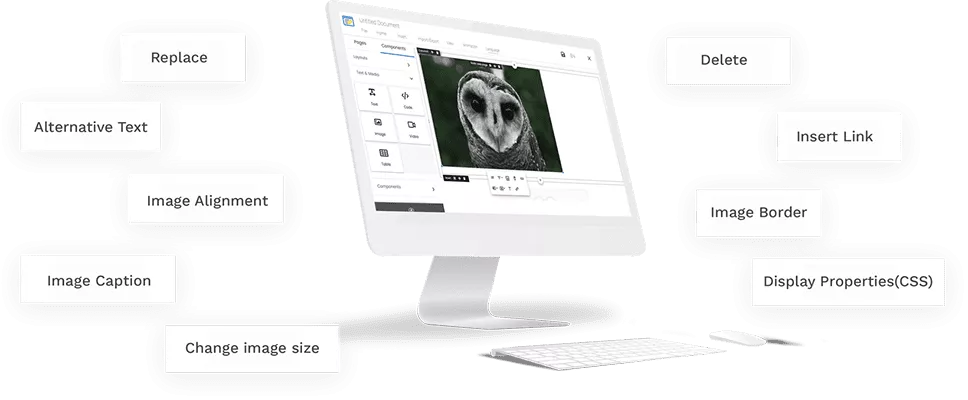
eLearning authors can edit images with a built-in image editor
- Change image alignment
- Add image caption
- Display properties (CSS)
- Image border (rounded, shadow, bordered)
- Add alternative Text
- Change image size
02
Image Upload
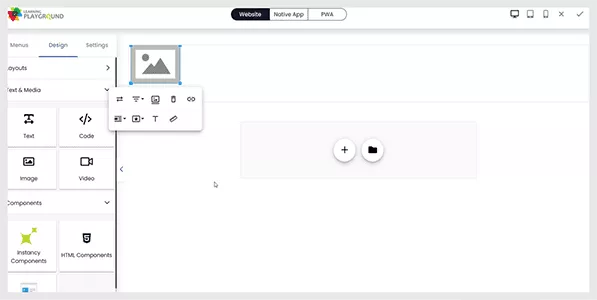
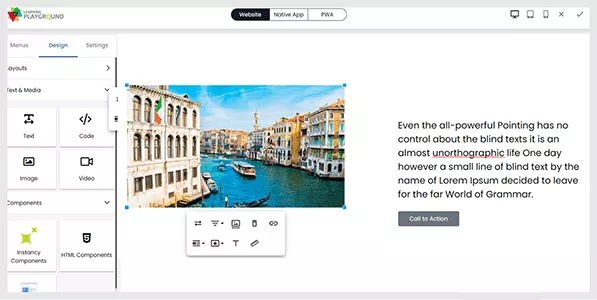
Authors can upload images from the library or from the live URL and change the styling of the image (rounded, bordered, shadow) add ALT TEXT to the image (which is useful in SEO), adding image caption
Authoring Suite
Explore More Assessment and Authoring Tools

Survey Editor
Create and deliver Surveys to complete the learning loop
Read More →
Learning Path Editor
Assemble and deliver a sequence of learning objects
Read More →
Reports and Dashboards
Analyze learning progress data with ease
Read More →
Microsoft PowerBI Integration
Analyze data through Microsoft PowerBI Plug-in
Read More →What Customers Say
★★★★★
“I have been building eLearning courses for over 25 years and when I saw Instancy learning platform, I fell in love with the system. The support team has been great to work with”

Tom DoverDover Telecommunication



Book a Demo


 English
 Arabic