
Training Survey Software for Course Evaluations and Learner Feedback
Gather user feedback to improve learning program quality and learning outcomes with Instancy online survey authoring tool
Training Survey Editor Features
Create, Deliver, and Manage Surveys
Gather and manage user feedback on your learning programs and use the data to improve both your training programs and your customer service. The Instancy online survey module can be used to create, deliver, and manage web-based feedback forms and link them to eLearning or classroom training programs.
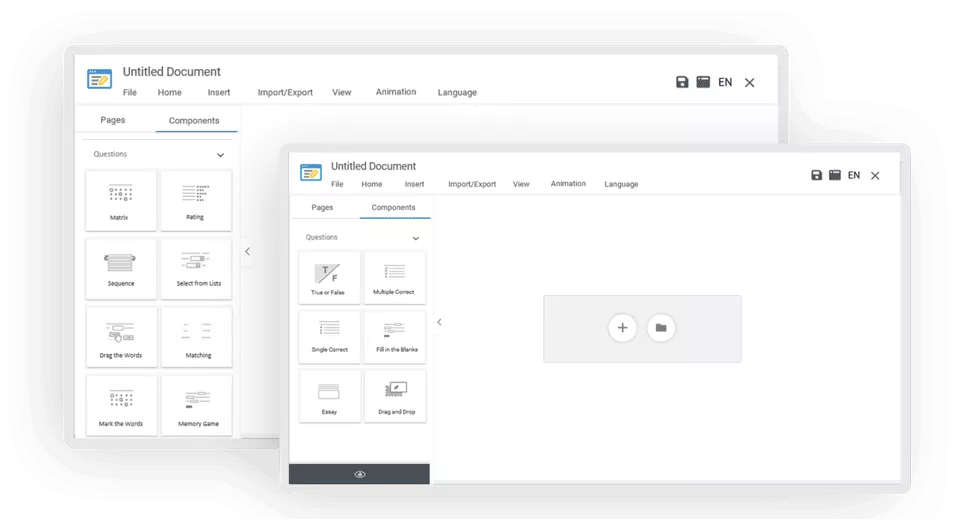
A Rich Choice of Survey Question Types
In addition to all basic assessment question types, you can include two types of matrix question types in your surveys:
- Single select
- Multiple select
- Short text response
- True or False
- Likert scale questions to group questions and get ‘agree’ or ‘disagree’ response
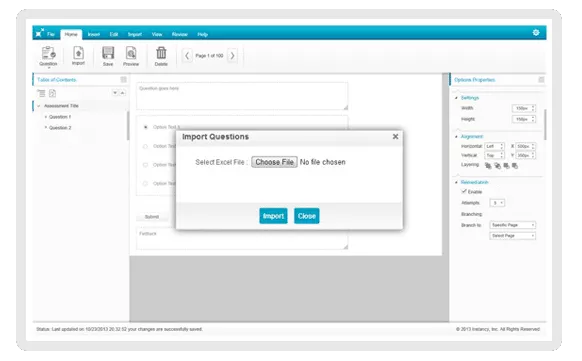
Save Time by Bulk Importing Questions
You’ll appreciate the ability to quickly import questions in batches from a pre-defined MS-Excel spreadsheet.
After importing the questions, within the survey editor, you can:
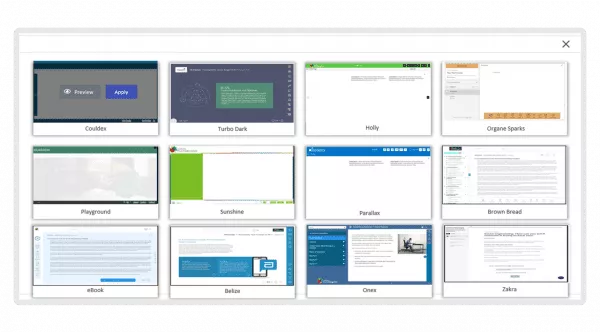
Customize the Survey Look and Feel by Applying a Theme
- Survey content is maintained separately from the theme or presentation layer of the content.
- Select the theme and customize it to match with your logo and brand colors.
- Change the theme anytime without changing the survey content and re-publish your content.
Link Surveys With Events or Learning Paths
Create and deliver surveys and stand-alone questionnaires to get feedback, or link them with a classroom event, or add them to a learning track.
Informative Reporting and Analysis
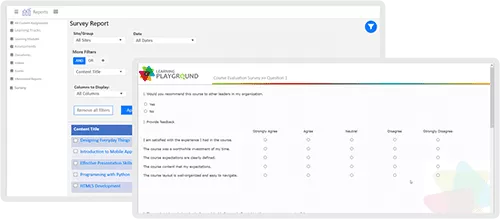
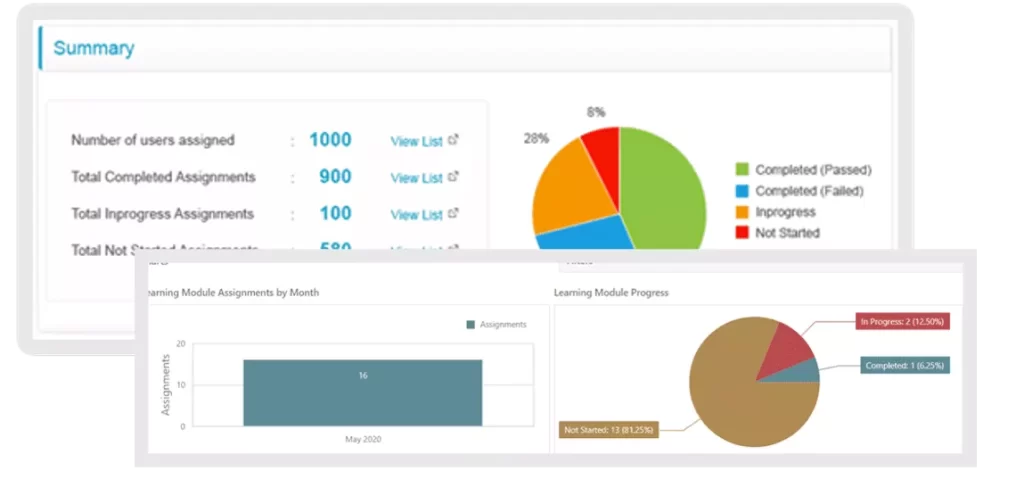
You can generate a summary report for a survey to see both the total responses and how users responded to each question.
As you’ve probably noticed, Instancy has done much of the work to make it easier for you. eLearning is our expertise, our passion, and our commitment.
Explore More Assessment and Authoring Tools

Assessment Editor
Create quizzes and online tests with multiple question types
Read More →
Learning Path Editor
Assemble and deliver a sequence of learning objects
Read More →
Reports and Dashboards
Analyze learning progress data with ease
Read More →
Microsoft PowerBI Integration
Analyze data through Microsoft PowerBI Plug-in
Read More →“I have been building eLearning courses for over 25 years and when I saw Instancy learning platform, I fell in love with the system. The support team has been great to work with”






 Arabic
 English