
Agentic AI Digital Adoption OS
Capture once, auto-generate multiple learning types, in-app performance support, and task automation for browser & desktop apps.

Capture Once. Generate Training, In‑App Help & Task Completion—Across Any App
Auto-generate tutorials, simulations, and SOPs from real workflows, then guide users and complete routine tasks in browser and desktop apps.
Unlock the potential of Generative AI with our intuitive chrome extension and no-code editor. Automate the creation of user guides, SoPs, and software documentation, empowering your team to maintain a comprehensive catalog at the speed of change.
Quick Answers: Agentic Digital Adoption Platform
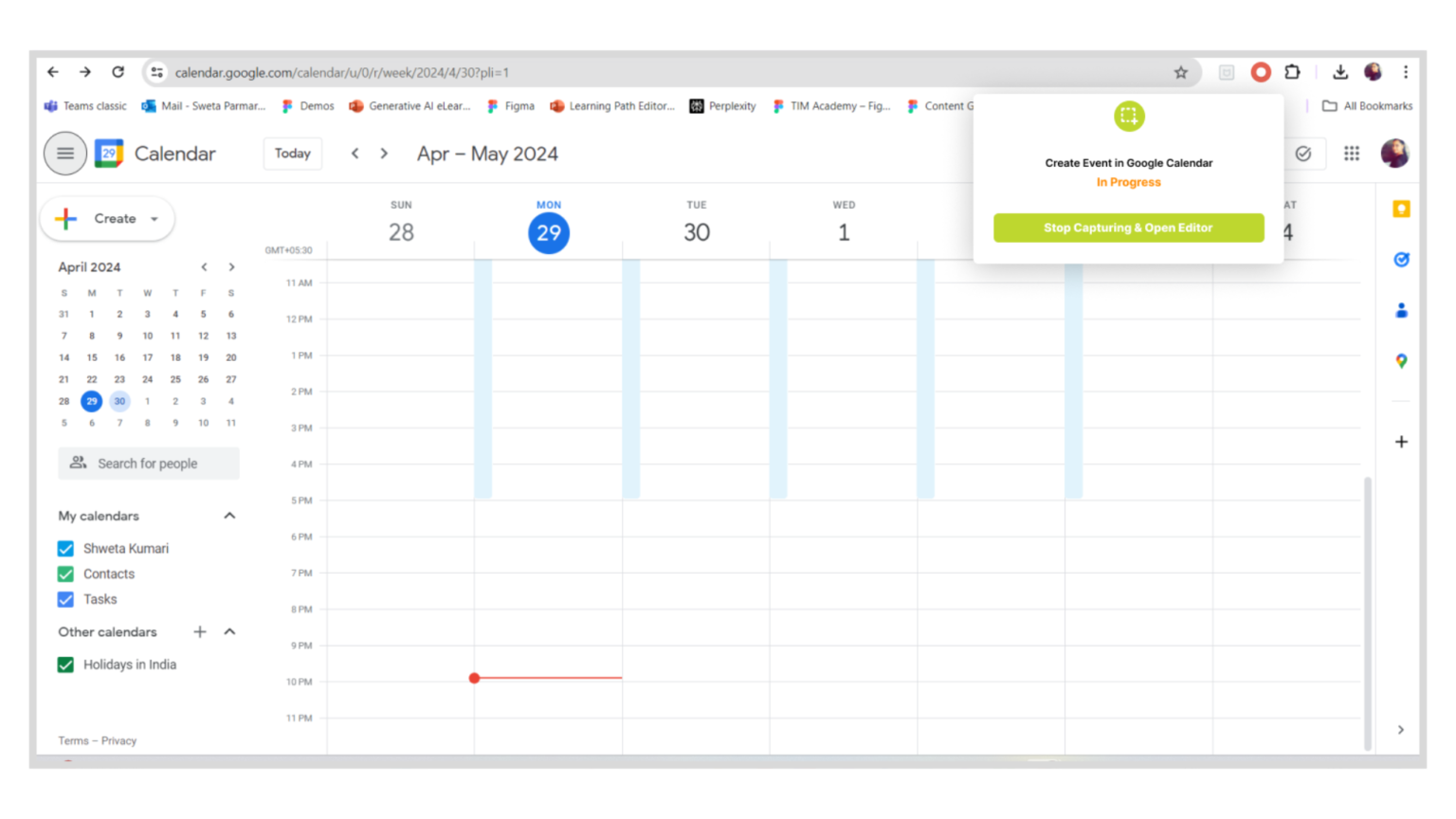
AI-powered Chrome extension automatically records your process, detects each step, generates guide titles and descriptions, and creates visual step-by-step guides with screenshots, action highlights, and clickable instructions—no manual setup required.
Yes! Instancy’s no-code authoring tool lets you review, edit, and refine your captured user guides or SOPs easily. Adjust steps, descriptions, screenshots, and highlights—no technical skills needed.
Create web-based user guides, step-by-step video tutorials, or fully interactive guides with AI-generated audio narration, automatic closed captions, a clickable table of contents, and embedded knowledge-check questions to boost learning and engagement.
Yes, our Chrome extension delivers GPS-style step-by-step in-app guidance for any web software, with zero programming or API integrations required. Instancy’s AI overlays tips and directions directly in the user’s workflow.
Publish instantly to your branded web portal, company website, mobile apps (Apple App Store and Google Play), and Chrome extensions. Users can also get personalized help via an embedded AI chatbot—anywhere, anytime.
Agentic Digital Adoption Platform Features
Instancy Chrome Extension for Quick Capture Web Application Processes
- Screen Capture and Recording: Capture full-page screenshots of any web page or application
- Step-by-Step Process Recording: Record processes by scrolling through pages, clicking elements, and capturing actions
- Generative AI Integration: Automatically generate visual guides with annotated screenshots, text descriptions, and videos using Generative AI
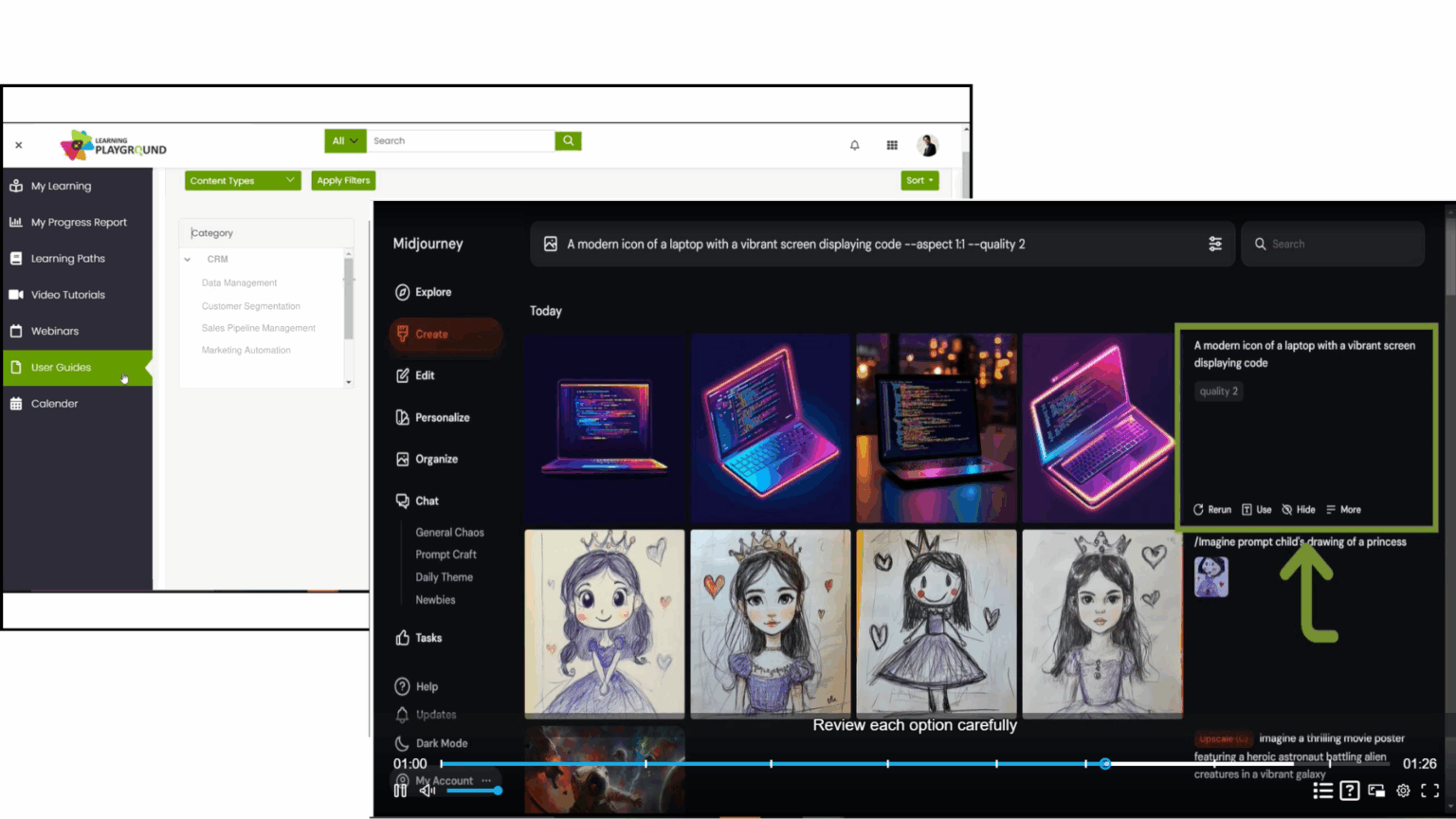
AI-Powered Interactive Video Tutorials
• Automated step-by-step video tutorials with narration
• Interactive table of contents for easy navigation
• Closed captions and transcriptions for accessibility
• Custom intro and outro with your branding elements
• Highlighted images to enhance visual learning
• Engaging quiz interactions to reinforce knowledge
AI Vision Powered In-Application Support for Seamless User Guidance
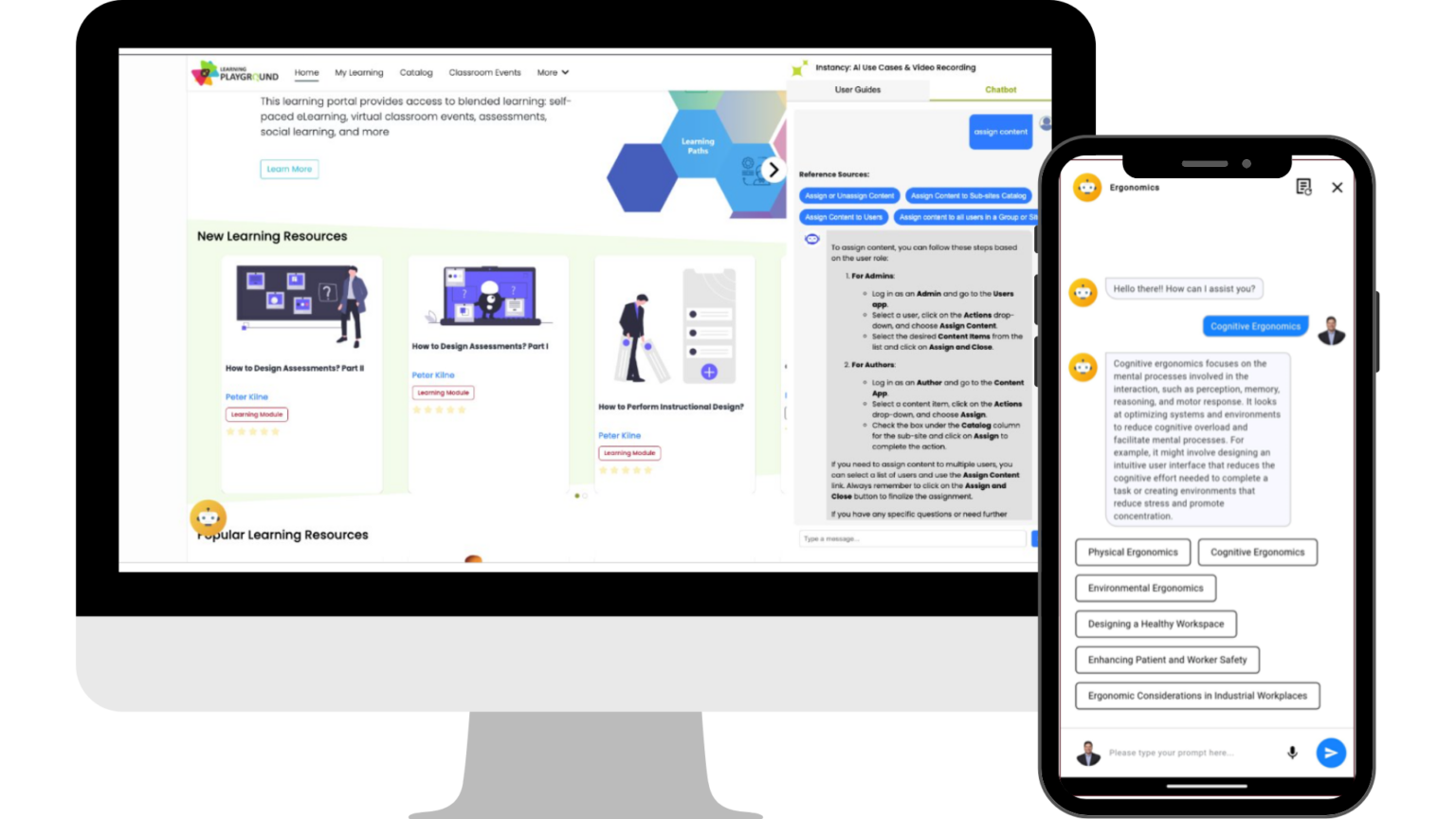
Help users succeed with step-by-step guidance, AI-powered chatbot, and on-demand access to user guides
- AI chatbot answers questions and provides task-specific guidance directly within your software application.
- Chrome extension offers instant access to searchable user guides as a companion to your application.
- Mobile app delivers user guides and chatbot support anytime, anywhere for on-the-go assistance.
Instancy User Guide Web Authoring Tool
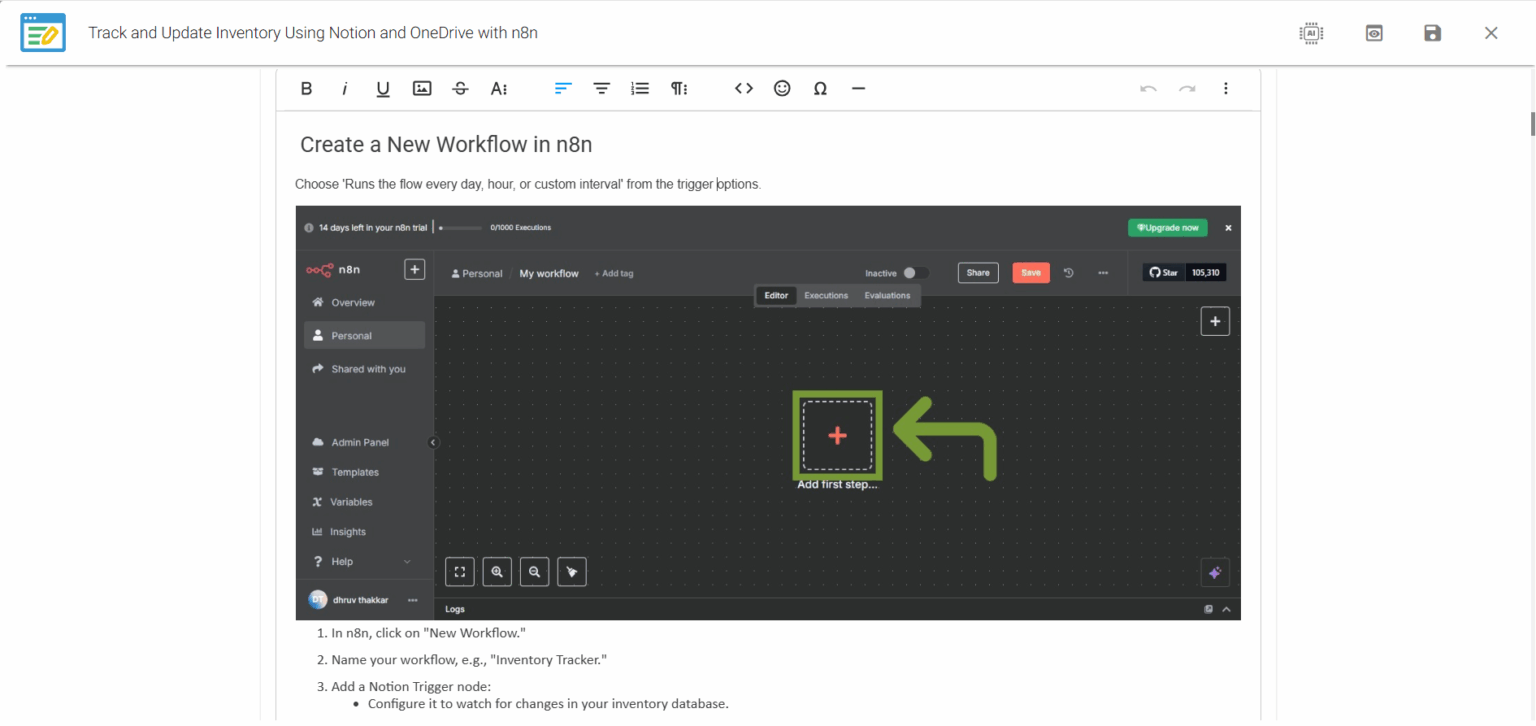
- AI-powered, no-code web authoring for faster user guide creation
- Works with Chrome extension to turn clicks into guided steps
- Built-in screen highlighting to annotate and explain visuals
- Create interactive software, video,s tutorials, and web guides from one source
- One-click publish to a searchable user guide knowledge portal
AI-Generated Simulations: Write Once, Train Smarter
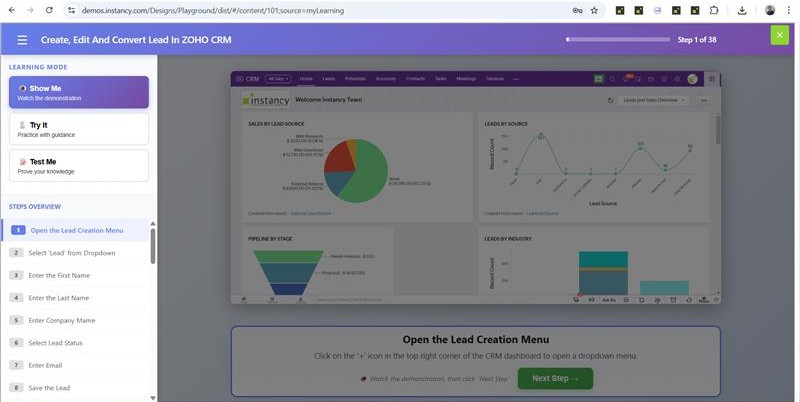
- From one capture, generate three modes: Show Me, Guide Me, and Test Me.
- AI handles heavy lifting for quick content generation.
- Automatic audio narration for every simulation variation.
- Interactive instructions guide the user step-by-step in-app.
- Instant quiz generation to validate knowledge transfer.
- Seamlessly track results in your Learning Management System (LMS).
- Maintain one source of truth; updates reflect everywhere.
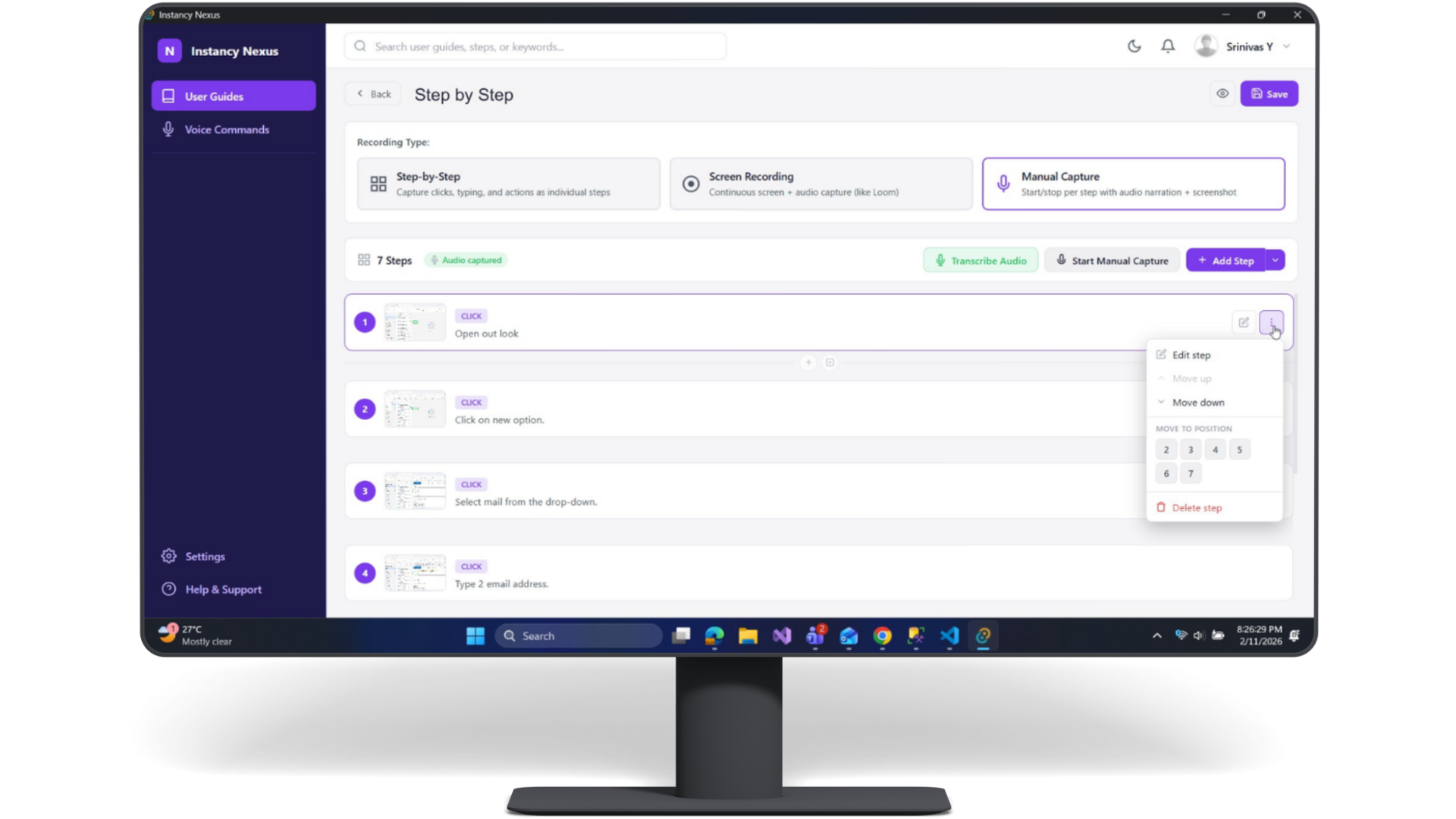
Instancy Nexus – Desktop AI Agent for Real Workflows
- Capture workflows across browser, Citrix, and desktop apps.
- Deliver step-by-step on-screen guidance for desktop tasks.
- Automate repetitive work across hybrid systems.
- Connect with hundreds of business apps via AI Agents.
- Works on Windows, Mac, and Linux.


 Arabic
  English