AI-Powered Microlearning Platform for Corporate Training & Educational Organizations

Create, Deliver, and Track Interactive Mobile-First Microlearning Content Effortlessly Using Generative AI and No-Code Authoring

Harness the power of Generative AI to rapidly create multimedia microlearning content with our intuitive, no-code editor. Empower your team to deliver engaging, mobile-first learning experiences on our platform.

Quick Answers: AI-Powered Microlearning Platform

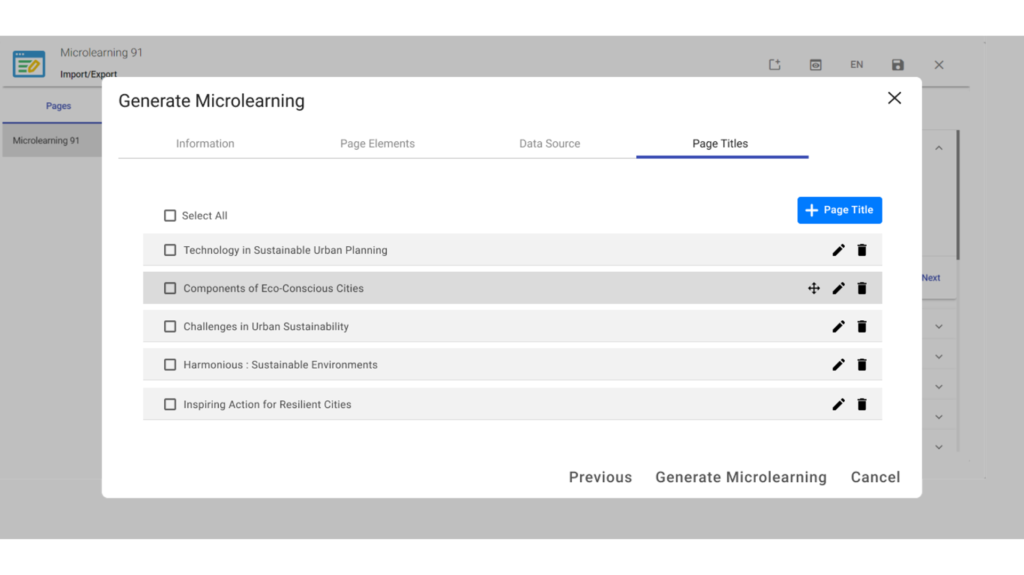
Instancy’s platform uses Generative AI to rapidly create multimedia microlearning content with a no-code editor, enabling businesses and educational organizations to build interactive, mobile-friendly training courses effortlessly.

Generative AI generates and improves learning content by creating text, audio, images, videos, quizzes, and more from pre-trained language models or private data, accelerating course development and boosting engagement.

Yes. Instancy supports seamless delivery on both its own LMS and third-party platforms, with tracking via SCORM standards to monitor learner progress and completion.

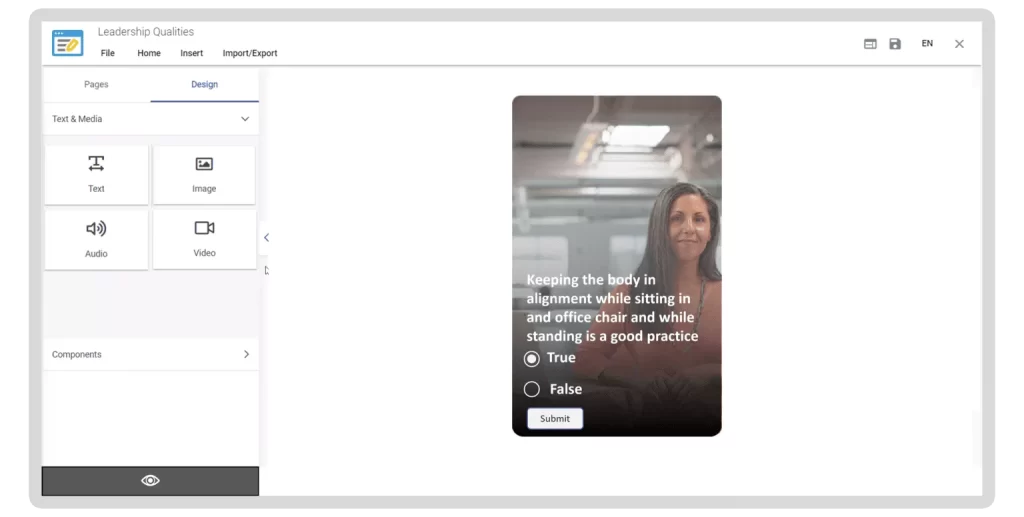
The editor includes mobile-responsive page templates, multimedia embedding (video, audio, graphics), quiz interactions, and instructional elements like process steps and timelines to enhance learner engagement.

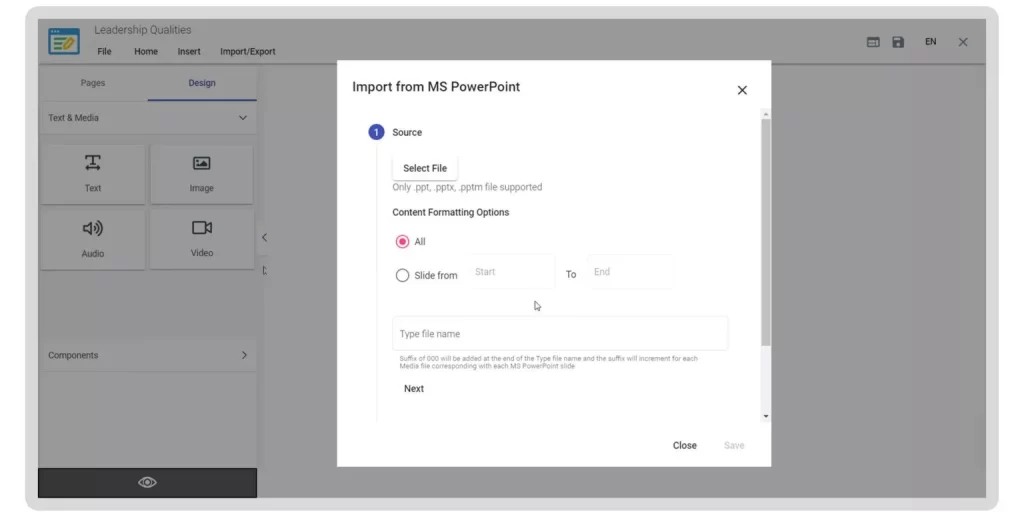
Instancy allows you to convert Microsoft PowerPoint slides into interactive microlearning pages, making reuse of existing materials easy and efficient.

Microlearning Editor Features

Generative AI-Powered Microlearning

– Rapidly generate microlearning content from pre-trained Large Language Models, internet research, or existing private data sources.

– Utilize Generative AI to enhance content with text, audio, images, videos, quizzes, and more.

-Seamlessly deliver content on Instancy LMS or third-party platforms, tracking progress with SCORM standards.

Microlearning Editor Platform

Interactive Multimedia​

Create engaging and mobile friendly microlearning content in minutes. Use pre-defined page templates and visual editing features to add multimedia elements including text, video, graphics, audio, MS office file elements.

Add quiz interactions and interactive instructional elements like process steps and timeline to engage your learners.

Apply a microlearning theme, preview your creation in HTML5. Publish to the Instancy Learning Experience Platform without copying the files or worrying about underlying files or media assets.

Convert Microsoft PowerPoint Slides to Microlearning Pages

Convert your existing PowerPoint slides into engaging microlearning content, saving both time and costs when producing eLearning content
After importing the PowerPoint file or selected slides into the Microlearning Editor, enhance the content by adding interactions, multimedia elements, quizzes, and much more.
Microlearning Editor Authoring Tool

Explore More Resources

Survey Editor

Create and deliver Surveys to complete the learning loop

Learning-Path-Editor

Learning Path Editor

Assemble and deliver a sequence of learning objects

Reports-and-Dashboardsa

Reports and Dashboards

Analyze learning progress data with ease

6057198
Tom Dover

“I have been building eLearning courses for over 25 years and when I saw Instancy learning platform, I fell in love with the system. The support team has been great to work with”

Tom Dover

Dover Telecommunication

arArabic